3.6.4 Working with the archive
Article goal
Show how a club employee can hide outdated items by moving them to the archive, view archived items by category, and return them to the active list.
Who this article is for
- Club administrator
- Users with access rights to the “Store” section in the admin panel
What you will learn
- How to move an item to the archive to hide it from the general list
- How to display archived items of a specific category
- How to return an item from the archive
- What to do if an item is not found or the archive is not displayed
Prerequisites
Before you start, make sure that:
- You have administrator rights with access to the “Store” section
- Items have already been added to the system
- Access to the admin panel is open
Step-by-step guide
Step 1. Go to the “Items list” section
- Log in to the IZI CRM admin panel.
- Go to “Store” → “Items list”.
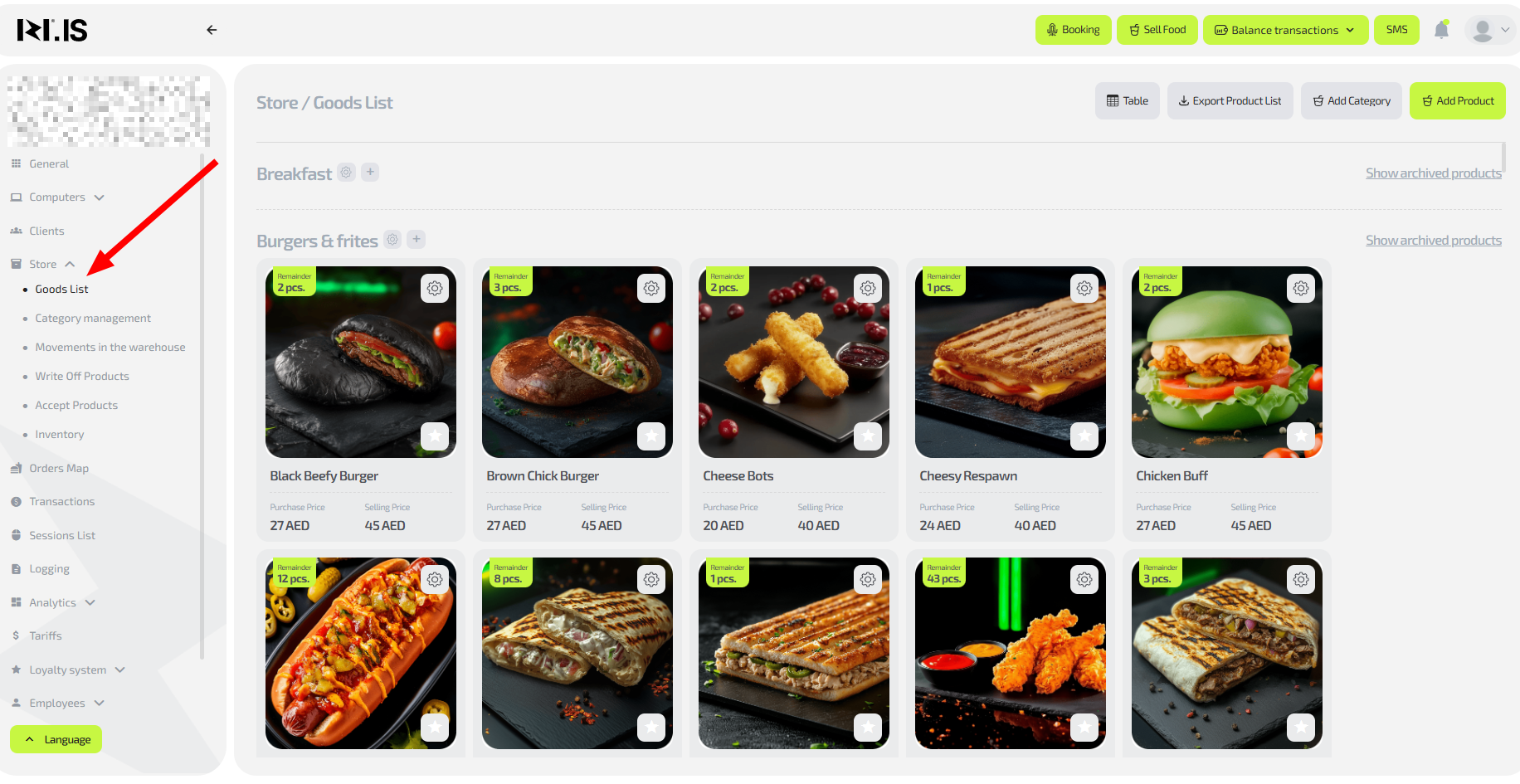
Step 2. Move an item to the archive
- Find the required item in the list.
- In the upper-right corner of the item card, click the gear icon (settings).
- Select “+Move to archive”.
- Confirm the action.
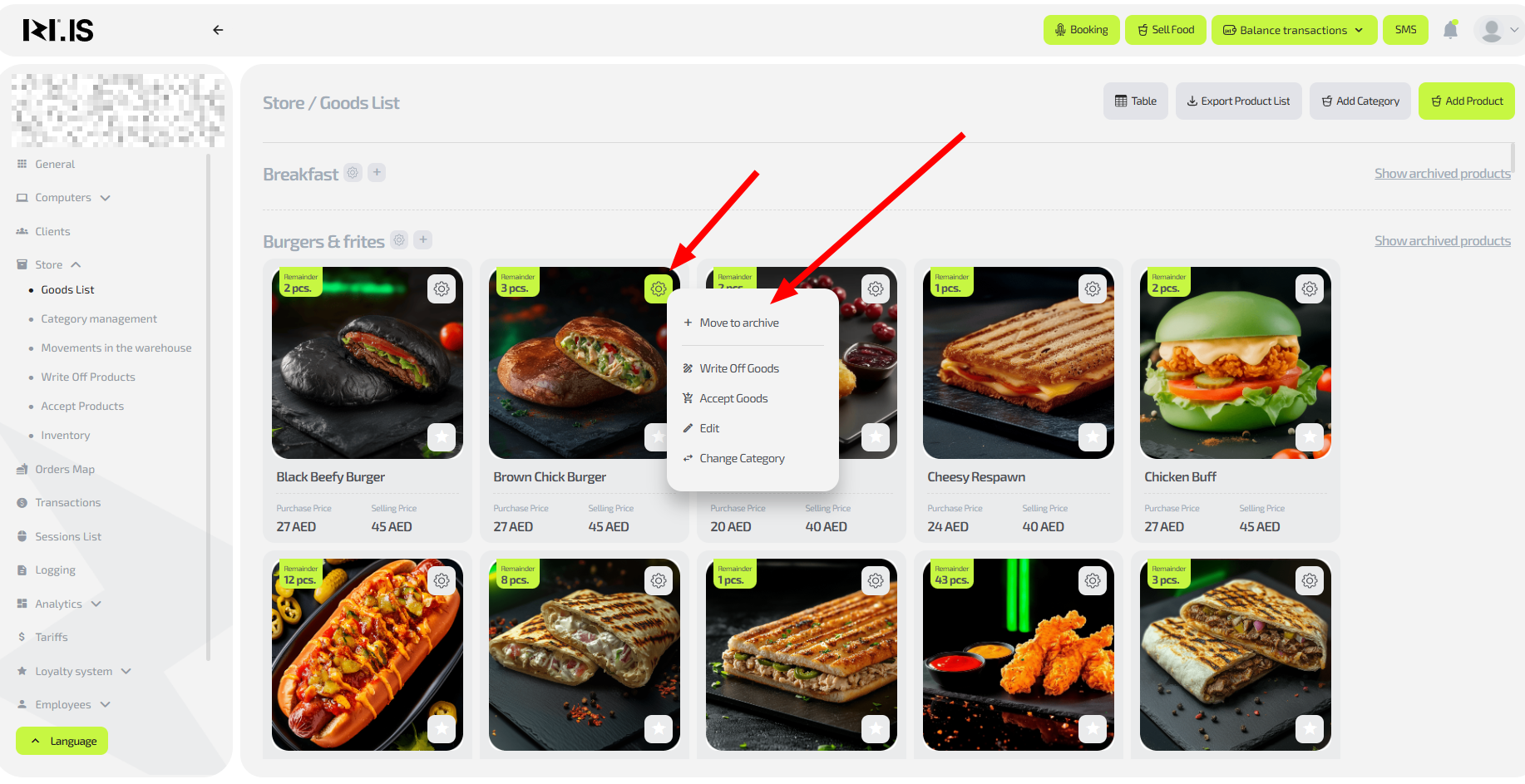
Tip: The archive hides items that are no longer used but keeps them for potential future use.
Step 3. Display archived items
- In the items list, find the required category.
- Click “Show archived items” for this category.
- Archived items of the category will become visible in the list.
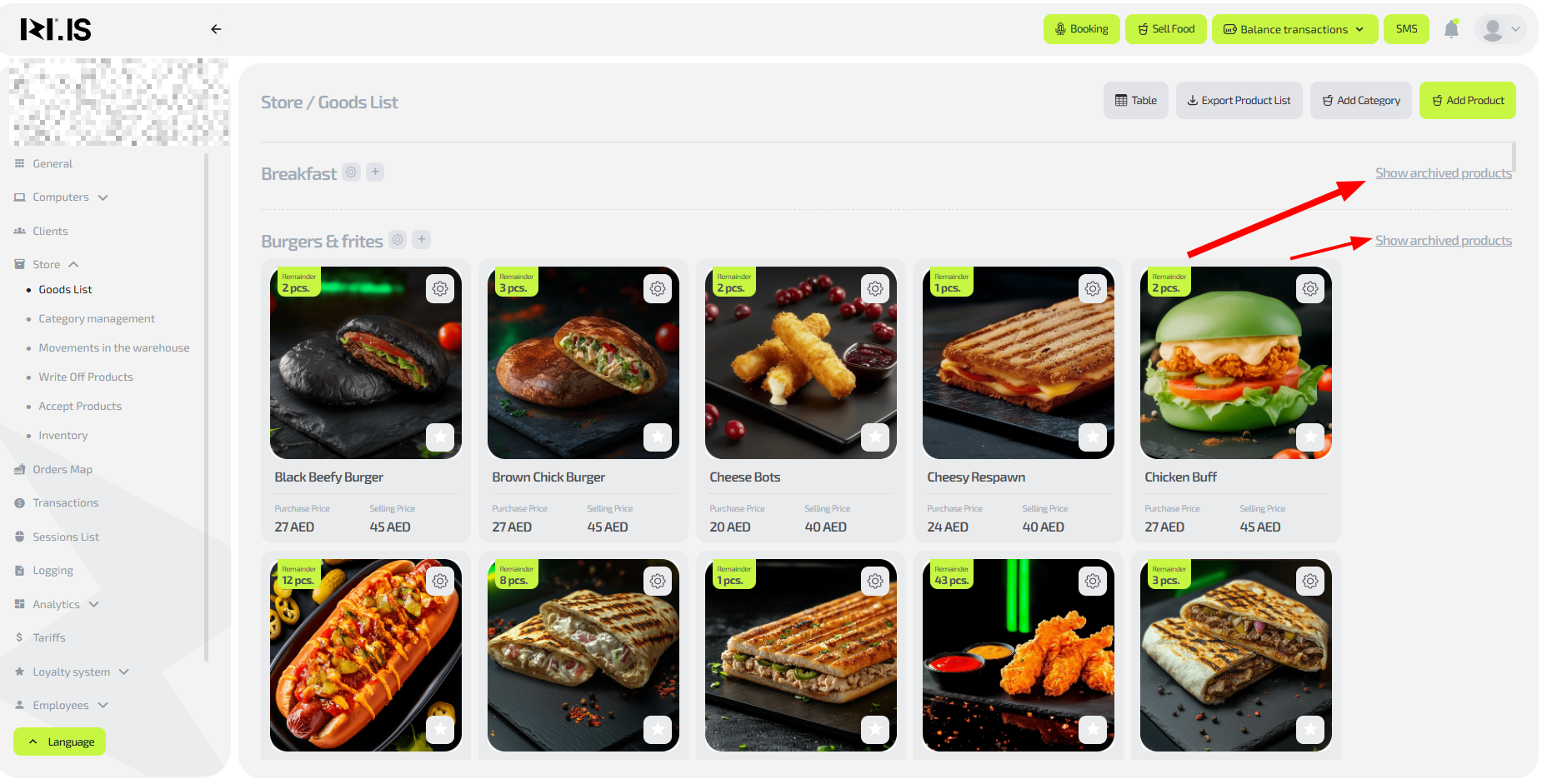
Step 4. Return an item from the archive
- Display archived items as described in Step 3.
- Find and click the required item.
- Confirm the action to return it to the active list.
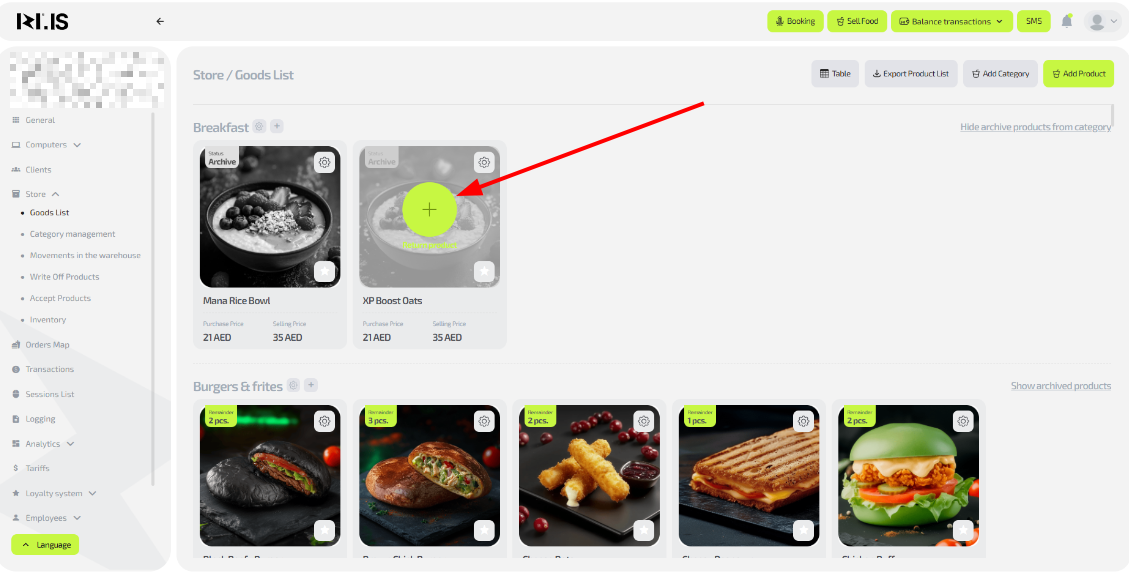
Important: Archived items are not visible in the general list by default.
Common situations
| Problem | What to do |
|---|---|
| Item is not found in the list | Check filters or search; if it is archived, display items by category. |
| Archive is not displayed | Make sure a category is selected; refresh the page or check access rights. |
| Cannot move an item to the archive | Check that the item is not in use (session/order); try again. |