3.11.5 Ability to pay tariffs with bonuses
Article goal
Show how a club staff member can configure the option to pay tariffs using the client’s bonus balance (as a percentage of the tariff cost) in the IZI CRM system.
Who this article is for
- Senior club administrator
- Users with access rights to the “Tariffs” section in the admin panel
What you will learn
- The difference between the client’s game balance and bonus balance
- How to enable payment with bonuses and set a percentage (from 0 to 100%)
- How to disable this option
- What to do if the setting is not applied or the percentages are calculated incorrectly
Prerequisites
Before you start, make sure that:
- You have administrator rights with access to the “Tariffs” section
- Tariffs are already created or you are ready to create them
- Access to the admin panel is available
Step-by-step guide
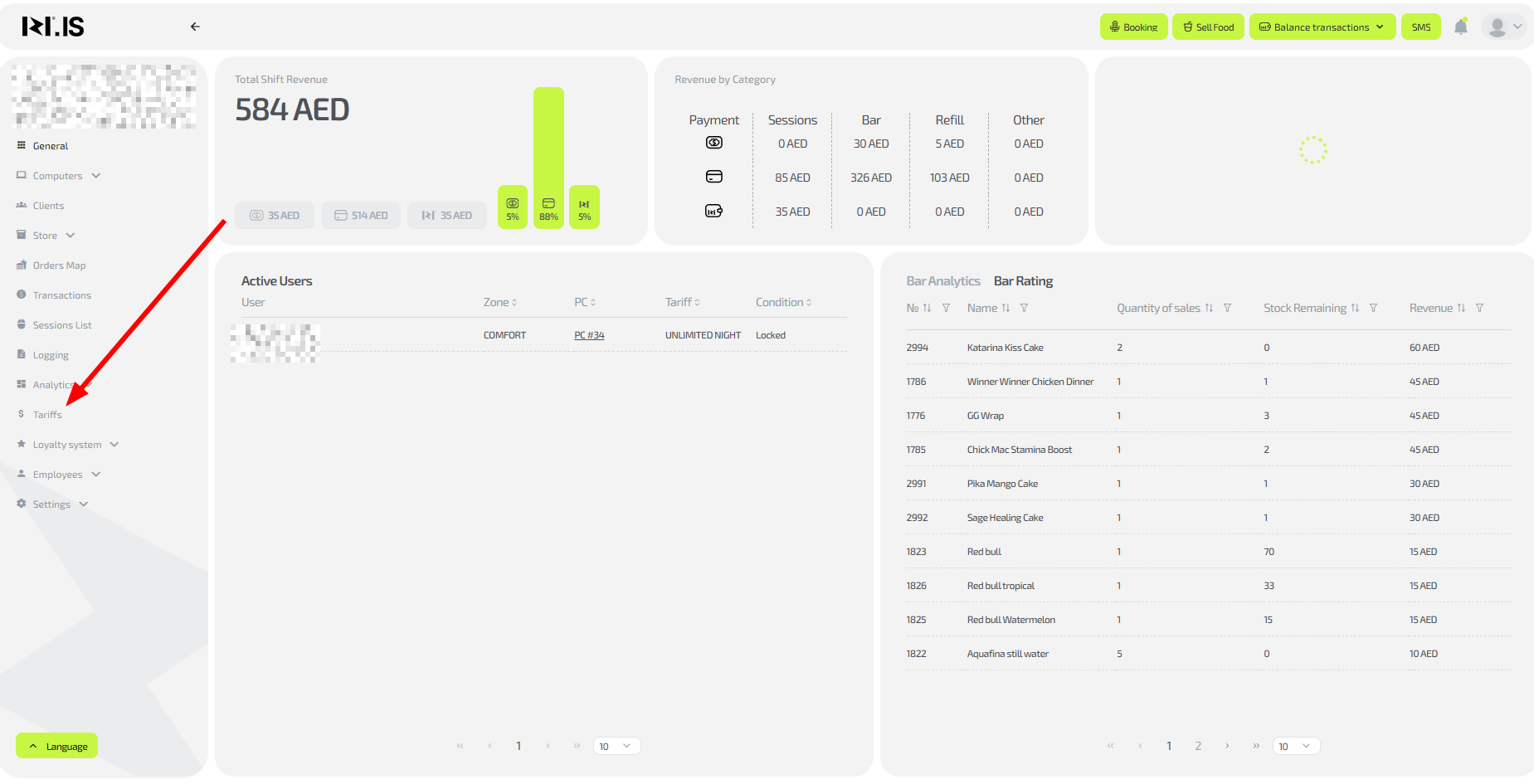
Step 1. Go to the “Tariffs” section
- Log in to the IZI CRM admin panel.
- Go to the “Tariffs” section.
Step 2. Select or create a tariff
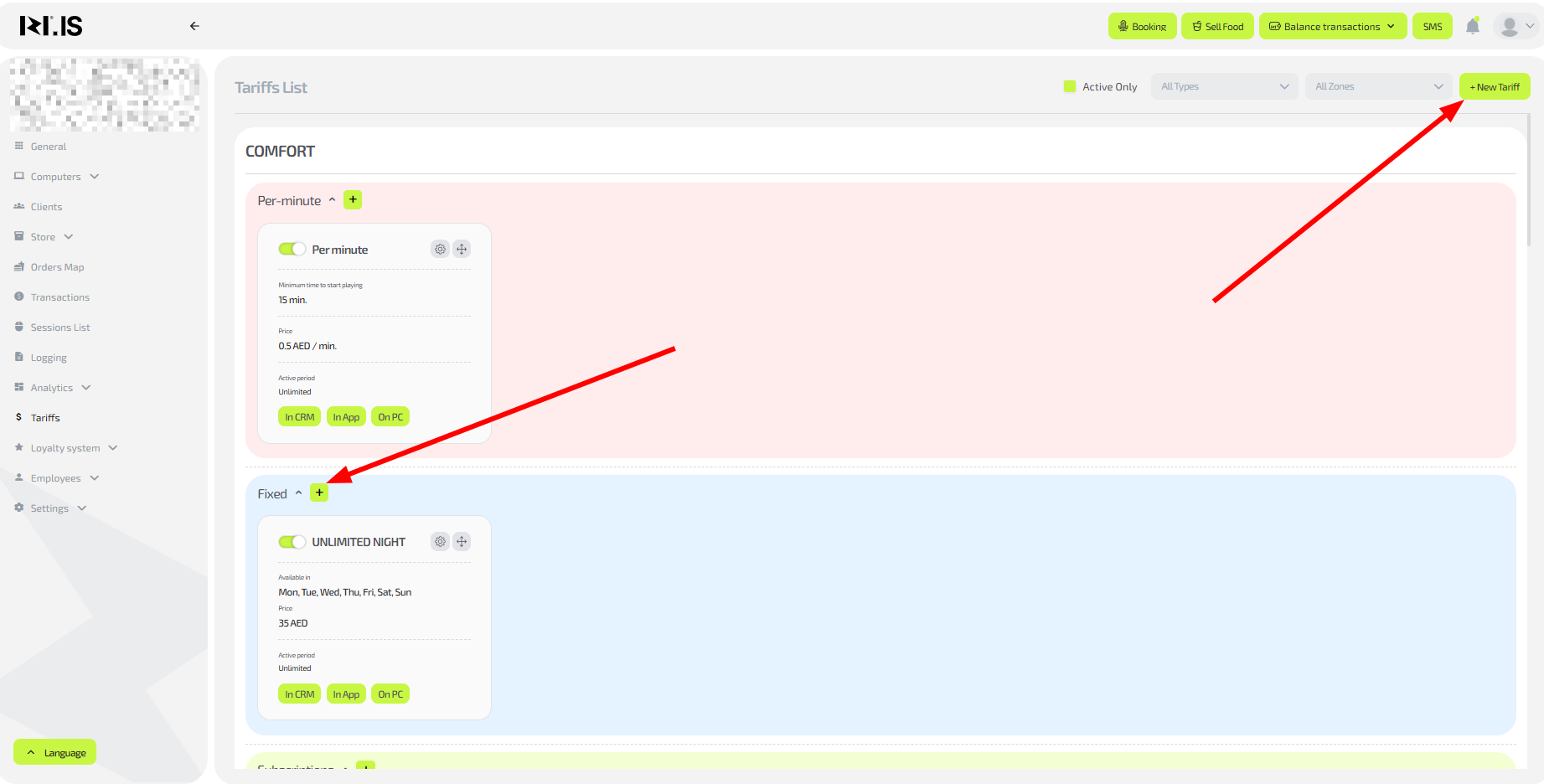
- Open the settings of an existing tariff or click “+New tariff” to create one.
Step 3. Configure payment with bonuses
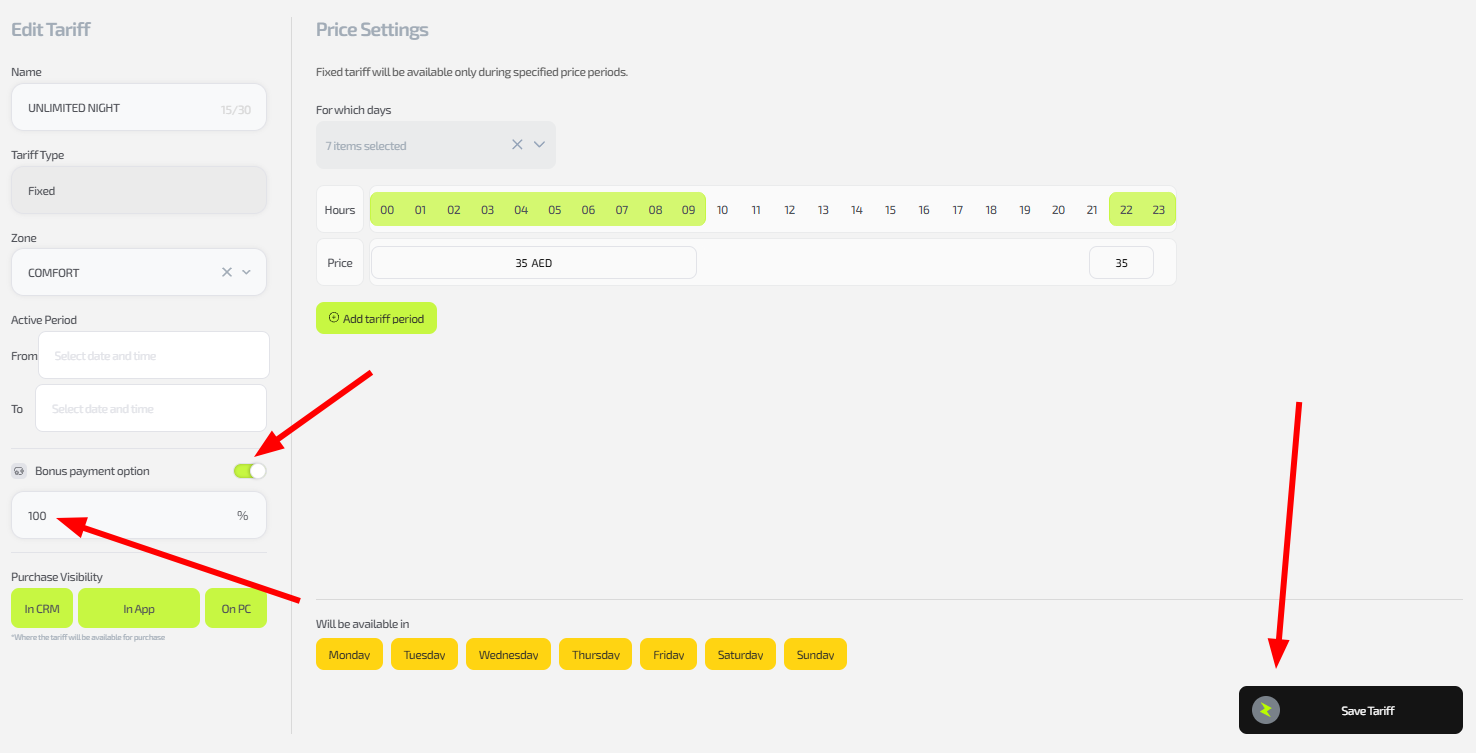
- In the left part of the window, at the bottom, find the switch “Ability to pay with bonuses”.
- Turn the switch on (if you want to allow payment with bonuses).
- A field for entering a percentage (from 1 to 100% of the tariff cost) will appear under the switch.
- Enter the required value (for example, 20% for partial payment).
- If you enter 0%, payment with bonuses is deactivated (equivalent to the switch being off).
Tip: The game balance is for real money (deposits via admin/app); the bonus balance is for points (awarded for tournaments, loyalty, etc.). The client can use both to pay for services.
Step 4. Save the changes
- Click “Save tariff”.
- Check the result: start a test session for a client who has bonuses and verify that the calculation is correct.
Important: If the switch is inactive, payment with bonuses is completely forbidden. The setting is applied only to the selected tariff.
Common situations
| Problem | What to do |
|---|---|
| Payment with bonuses is not available | Check that the switch is enabled and the percentage is >0; update the tariff and the session. |
| The percentage is not saved | Make sure the value is in the 0–100 range; save and reload the page. |
| Bonuses are not debited | Check the client’s balance; make sure there are points on the bonus account. |
| The calculation is incorrect | Test with a small amount; if the error persists, contact support. |