Loyalty system: working with promo codes, push notifications and client groups
Article goal
Show the administrator how to configure and use loyalty tools to attract and retain clients: create promo codes, send push notifications, and group clients for targeted campaigns.
Who this article is for
- Club owner
- Manager
- Administrator
What you will learn
- How to create a promo code and credit bonuses to clients
- What bonuses can and cannot be spent on
- How to send a push notification to all app users
- How to group clients for future campaigns and mailings
- How to avoid common mistakes when working with the bonus system
Prerequisites
- You have administrator or owner rights
- Clients are registered in the mobile app
Step-by-step guide
Step 1. Create and configure a promo code
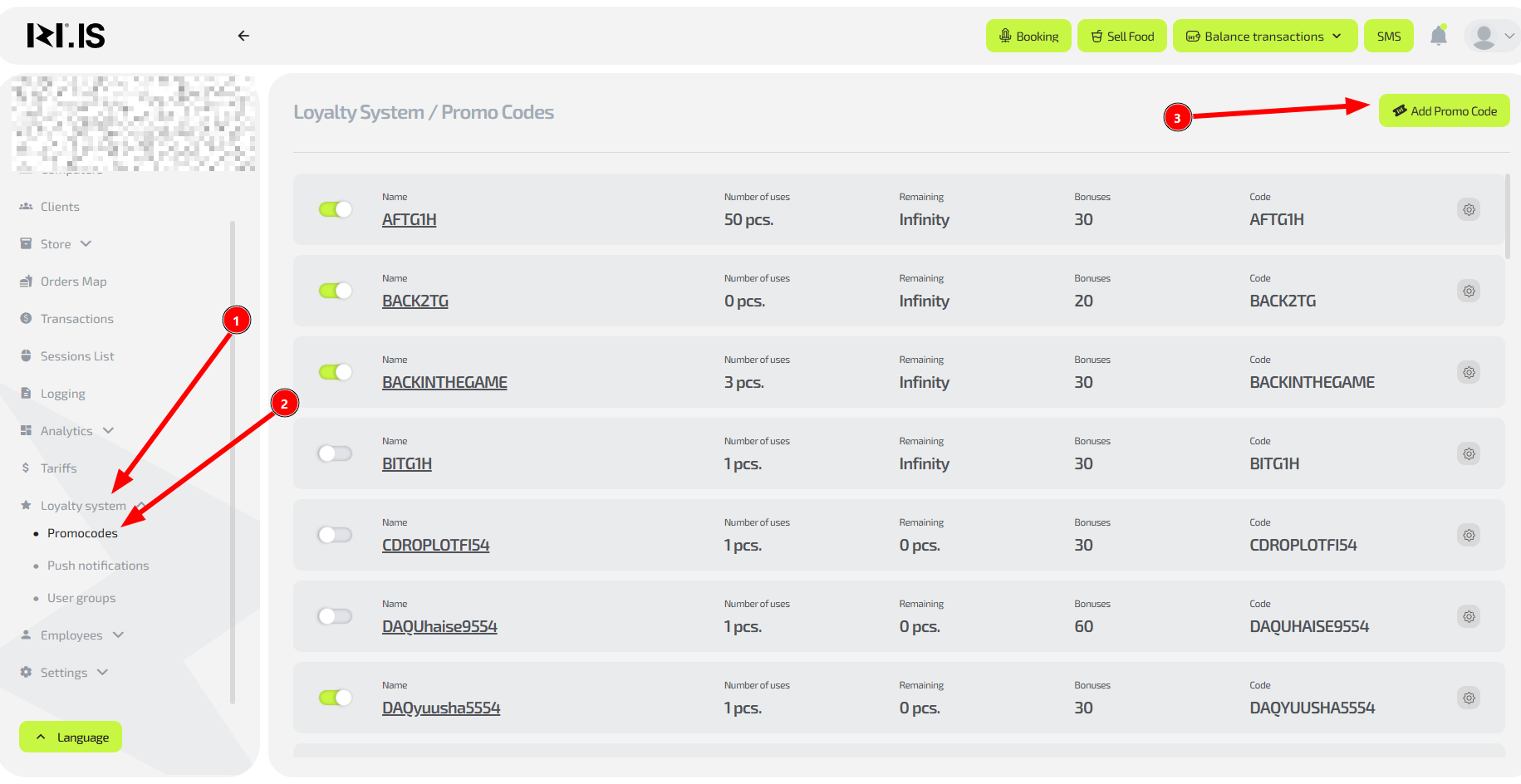
Why this is needed: To encourage clients to visit again and attract new guests. For example, you can create a “SUMMER2024” promo code with 50 bonus points for all new clients in June.
- In the “Loyalty system” section select “Promo codes”
- Click “Create promo code”
- Fill in the parameters:
- Promo code name (for example, “WELCOME50”)
- Number of bonus points to be credited
- Validity period (if you want to limit it in time)
- Save the promo code
Tip: Announce the promo code via social networks or in person. Clients activate it in the mobile app in the “Promo codes” section.
Step 2. Explain to clients how to use bonuses
Why this is needed: To avoid misunderstandings and negative experience. Clients often try to pay for food and drinks with bonuses, but the system does not allow this.
- What can be paid with bonuses: Only game time (any tariffs)
- What cannot be paid with bonuses: Food and drinks from the bar
- Payment limit: Up to 100% of the session cost
Example: A client has accumulated 200 bonus points. They can fully pay for 2 hours of play with the “Cyber hour” tariff, but cannot buy coffee and a sandwich at the bar.
Step 3. Send a push notification
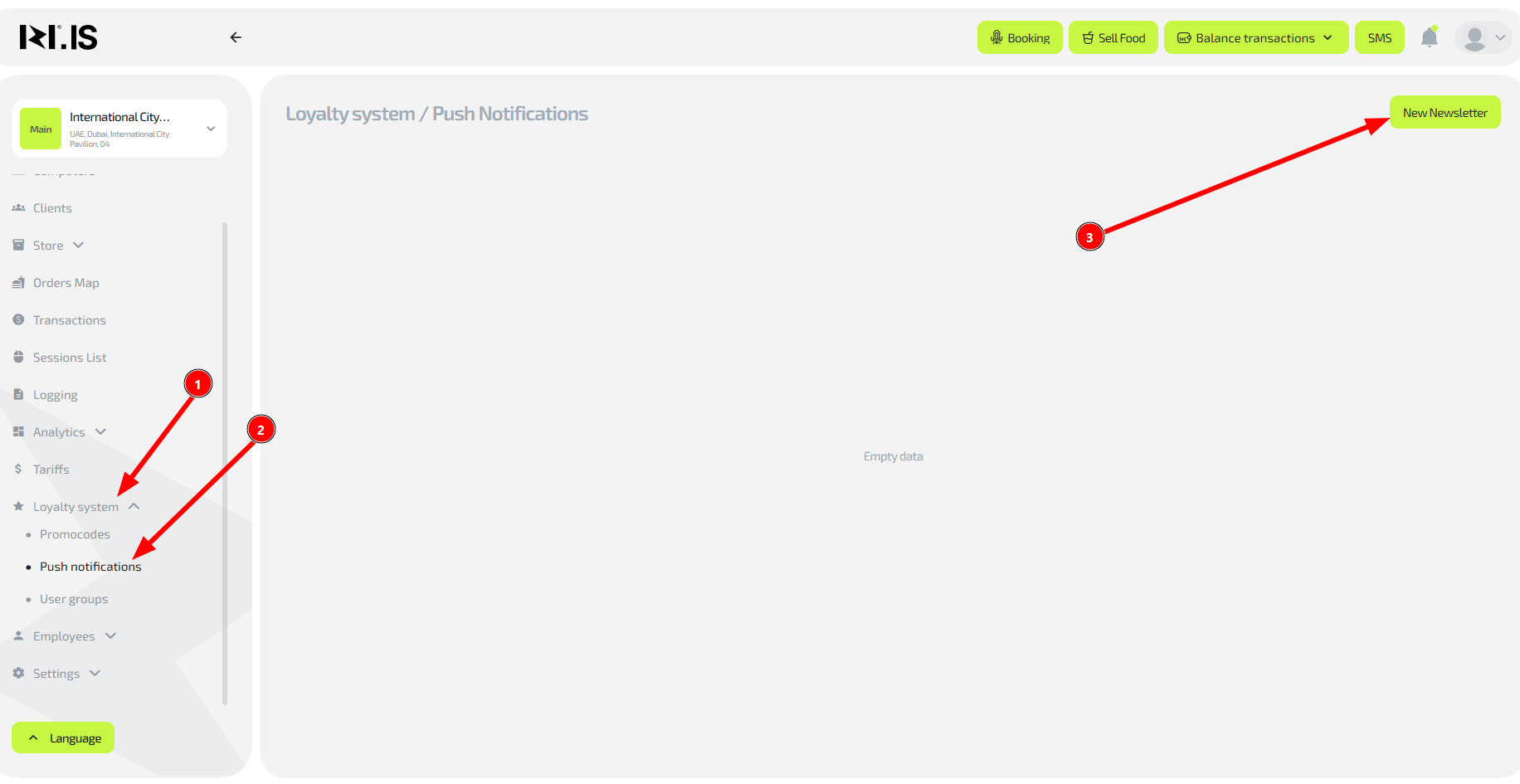
Why this is needed: To quickly inform all clients about important events: opening of a new zone, maintenance work, or special promotions.
- In the “Push notifications” section click “Create notification”
- Enter the title and text of the message
- Select the sending date and time
- Send the notification
Important: Do not spam. Send only truly important information so that clients do not disable notifications.
Step 4. Create client groups
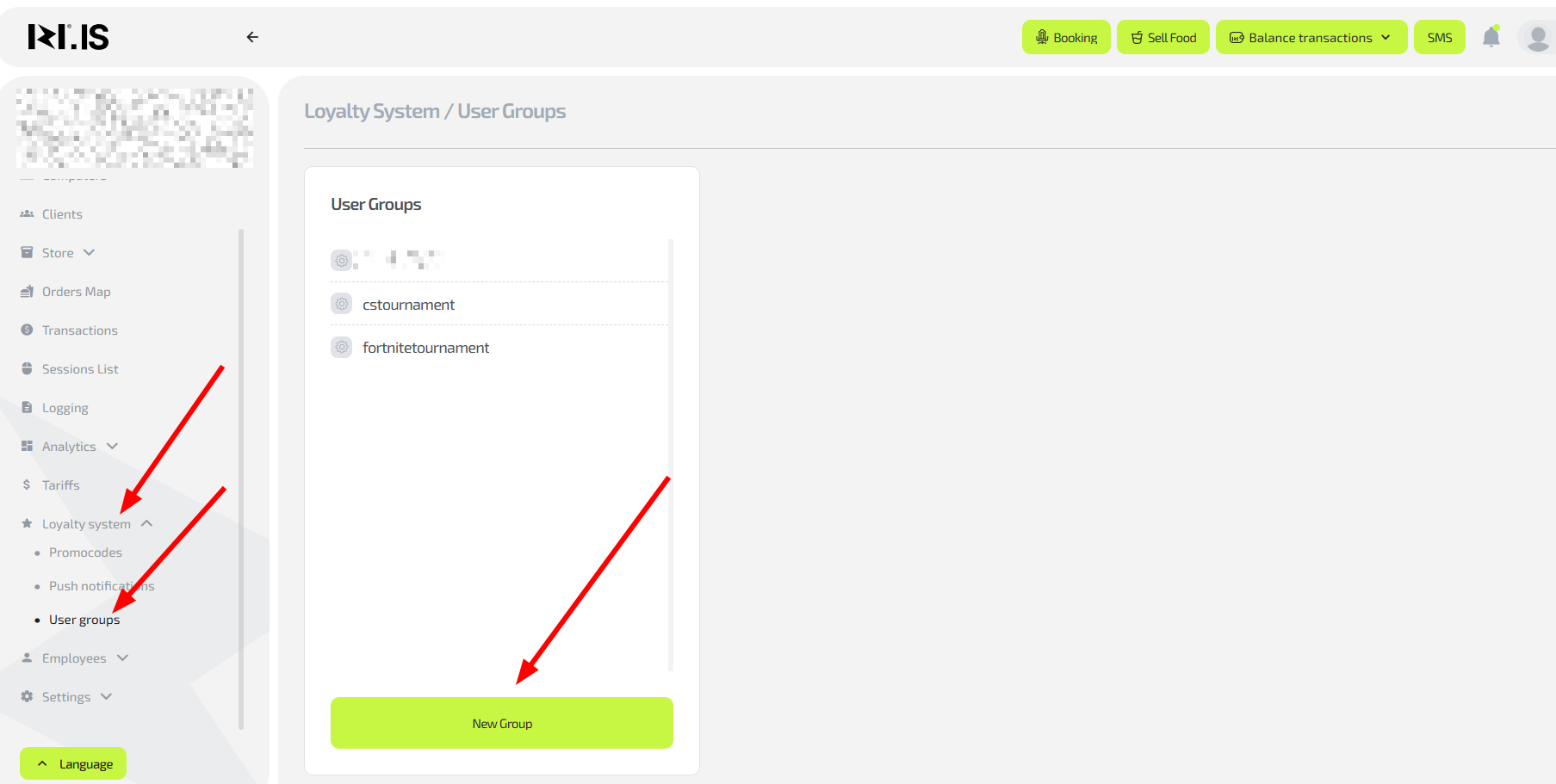
Why this is needed: To send targeted offers to different categories of clients in the future. For example, you can create a “VIP” group for the most active visitors and offer them exclusive promo codes.
- In the “Clients” section select “User groups”
- Create a new group (for example, “New clients”, “Regulars”, “Inactive”)
- Assign clients to groups manually
Common situations
| Problem/Question | Solution |
|---|---|
| The client entered a promo code but did not receive bonuses | Check whether the promo code has expired. Make sure it is active in the system |
| The client wants to pay for a bar order with bonuses | Explain that bonuses are valid only for game time. Offer an alternative |
| Push notification does not reach clients | Make sure clients did not disable notifications in the app. Test on several devices |
| You need a promo code only for specific clients | This feature is not available yet. Use unique promo codes for different client groups |
| The client changed phone and lost bonuses | Bonuses are linked to the account, not the device. The client must log into the app with their phone number |