3.12.2 Push notifications: how to inform clients about promotions and club news
Article goal
Show how to create and send push notifications to mobile app users so that they receive timely information about promotions, events and important club news.
Who this article is for
- Club owner
- Manager
- Marketer
- Administrator with the appropriate rights
What you will learn
- How to create a notification that clients will actually want to read
- When to send notifications for maximum response
- How to plan campaigns in advance
- Which types of messages are most effective
- How to avoid common mistakes when working with broadcasts
Prerequisites
- You have access rights to the “Loyalty system” section
- Clients have installed the mobile app and allowed notifications
Step-by-step guide
Step 1. Create a notification
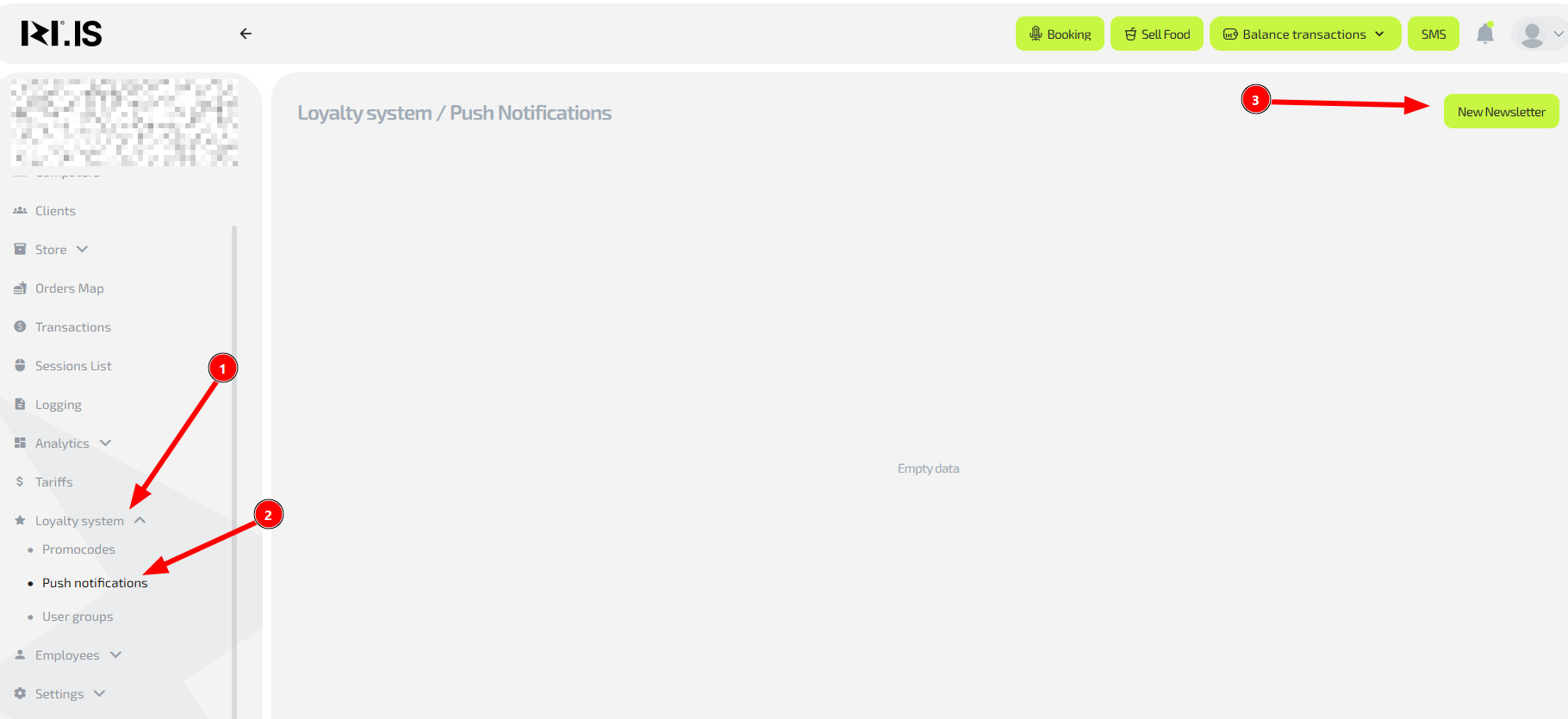
Why this is needed: To quickly inform all clients about important events: opening a new zone, special promotions, or maintenance work. For example, a notification about “Happy hours” on Friday evening can increase occupancy during a typically quiet period.
- Go to “Loyalty system” → “Push notifications”
- Click “Create push notification”
Tip: Prepare the notification text in advance to avoid mistakes when you’re in a hurry.
Step 2. Fill in the notification content

Why this is needed: So that the notification does not go unnoticed and actually interests clients. A well-written message can increase attendance by 15–20%.
Step 3. Check and send the notification
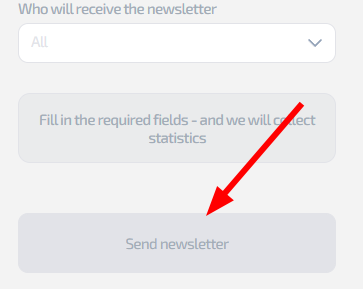
Why this is needed: To avoid mistakes and inaccuracies that can damage the club’s image. A typo in a discount notification can lead to client dissatisfaction.
- Carefully check the text in the preview window
- Make sure that:
- There are no spelling mistakes
- Numbers and percentages are correct
- Promotion time and dates are accurate
- Click “Send”
Example: A notification about a “Cyber sports night” with exact start time and prize pool can increase the number of participants by up to 40%.
Common situations
| Problem / Question | Solution |
|---|---|
| Clients complain about too many notifications | Reduce the frequency to 1–2 messages per week. Send only truly important information |
| Notification does not reach clients | Make sure clients have not disabled notifications in the app settings. Test on several devices |
| You need to send an urgent notification | Use immediate sending. Add “URGENT” or “IMPORTANT” in the title for such messages |
| You want to send a notification only to a specific group of clients | In the current version, broadcasting is available only to all clients at once |
| There is a mistake in the notification text | It is not possible to recall a sent notification. Send a correcting message with an apology |