1.4 Interface Structure and Available Modules
Article Purpose
To show what blocks the IZI CRM interface consists of and what functions each of them performs. This article will help you understand the navigation logic and the main actions available to the administrator.
Who this article is for
- Club administrator
- Owners and managers with CRM access
- New employees learning to work with the system
What you will learn
- Where the control panel is located and which quick actions can be performed
- How to use the side menu to navigate between sections
- What is displayed in the main workspace
- How to quickly navigate the CRM interface
Prerequisites
Before you begin, make sure that:
- You are logged into IZI CRM
- You have administrator or manager access rights
- The shift is active
Interface Overview
1. Top Panel / Control Panel
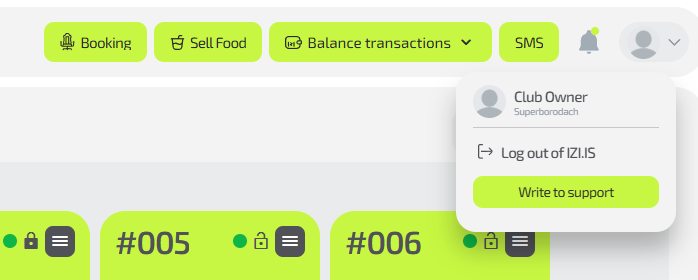
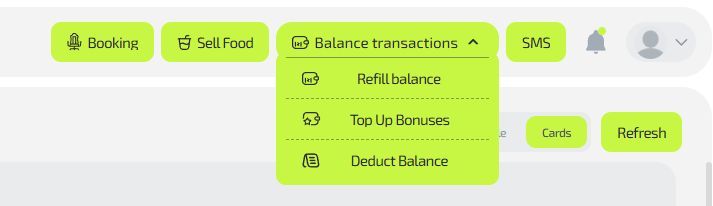
A horizontal panel at the top of the screen. It contains key functions and information about the current administrator shift. It also provides access to notifications, quick actions, and the user profile.
Main actions:
- Viewing system notifications and messages
- Information about the user currently logged into the CRM
- Quick operations — Selling food, assigning a seat, client balance operations, receiving an SMS code to register a new client
2. Side Menu / Navigation Block
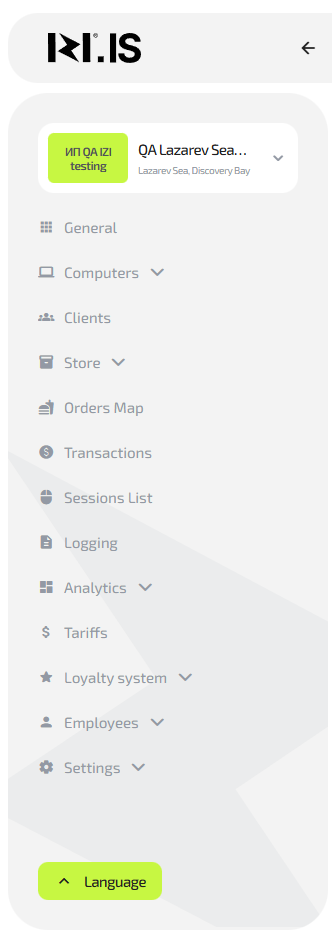
Used to navigate between CRM sections. It contains a list of main areas and submenus that simplify switching between functional modules.
Main actions:
- Navigation to sections: club map, clients, reports, settings, etc.
- Managing users and roles
- Access to CRM settings
3. Main Workspace
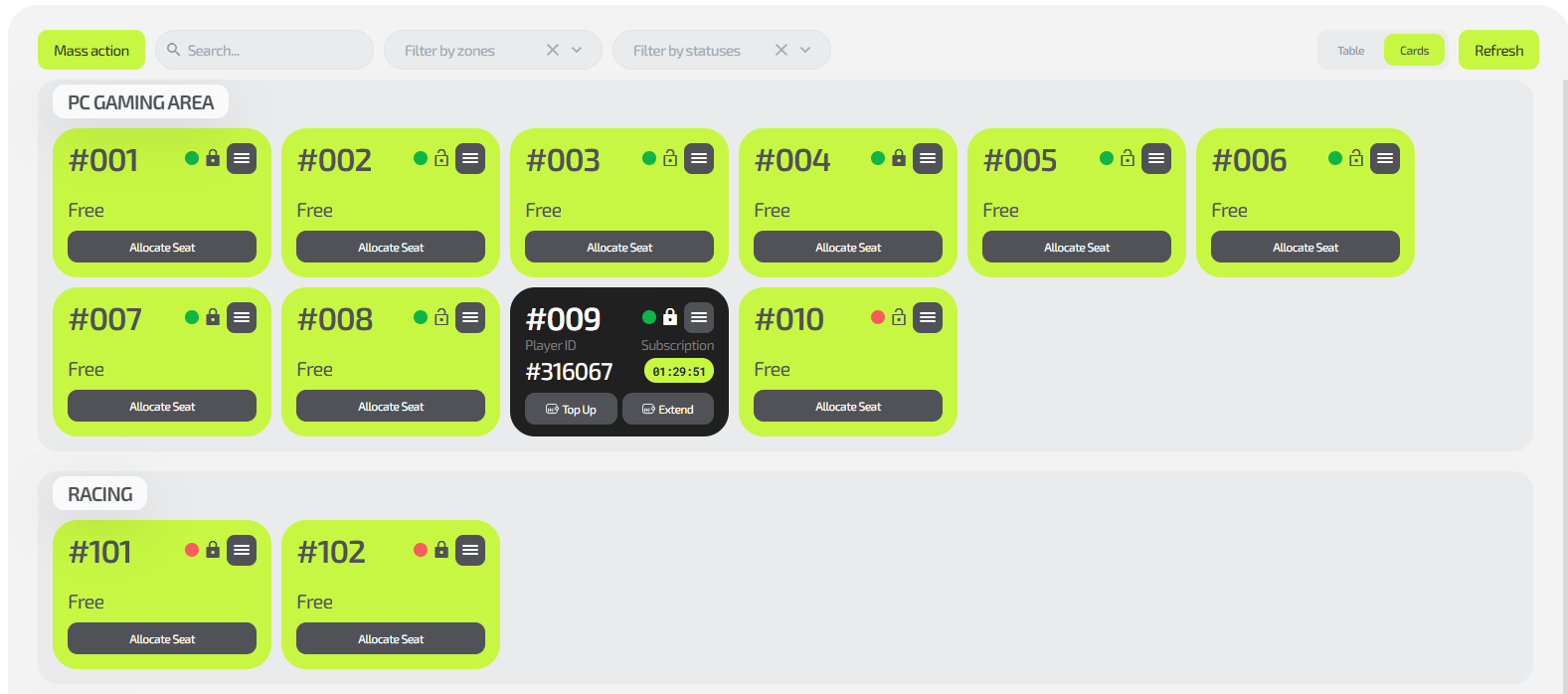
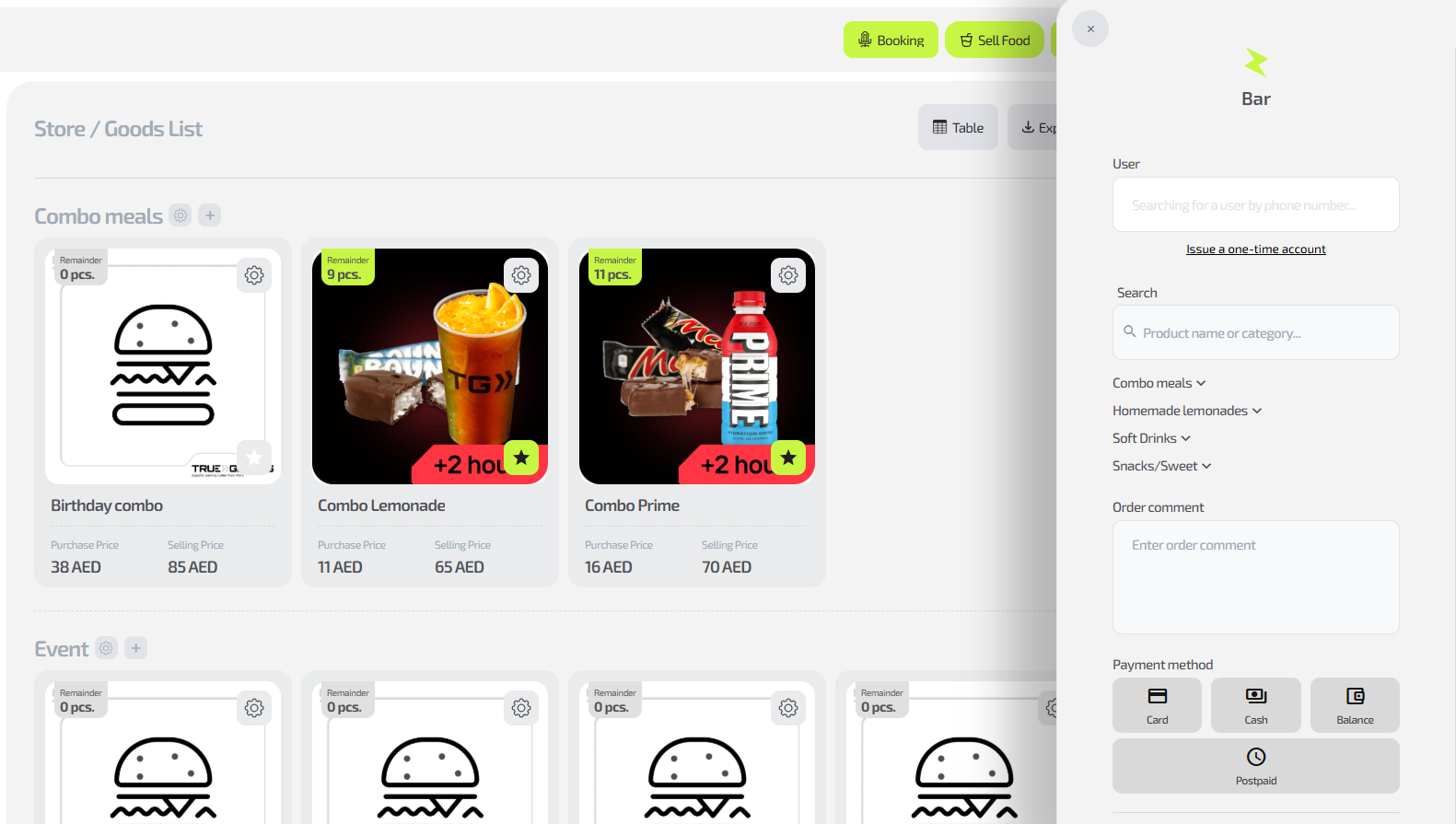
Description:
The central part of the interface. This is where all main data and tools for the administrator’s work are displayed. The content of this block changes depending on the selected section.
Main actions:
- Viewing client lists, sessions, and reservations
- Working with reports and analytics
Frequently Asked Questions
| Problem | What to do |
|---|---|
| The control panel is not visible | Check screen resolution or refresh the page |
| Sections in the side menu are not displayed | Check the user’s access rights |
| The content block does not load | Refresh the page or check the server connection |